
How to Make the Rumpelstiltskin Tiptoe Video (Two Photos, Three Steps)
Make the Rumpelstiltskin tiptoe video from two photos in three steps: cast, generate, post.
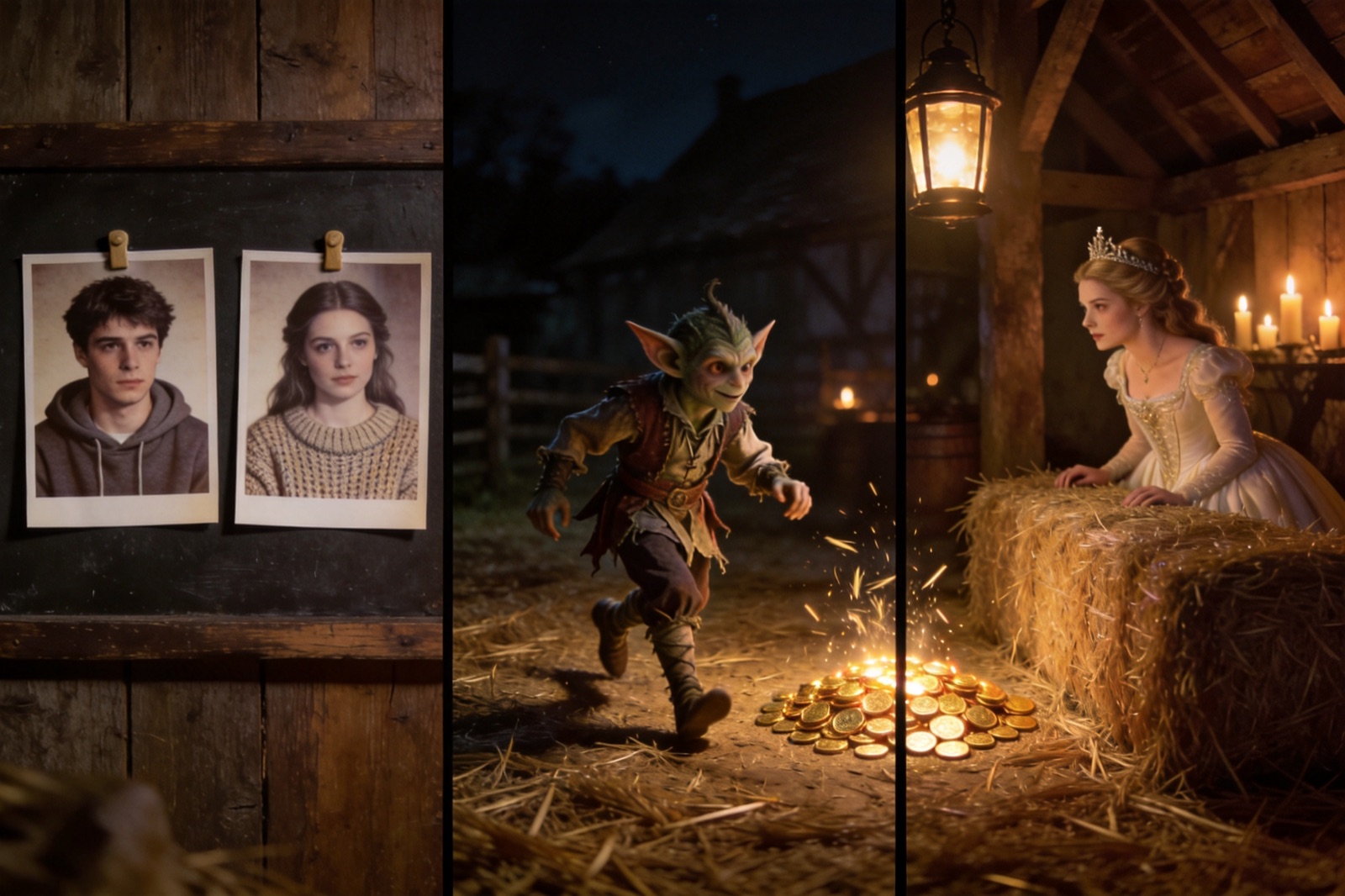
The little imp tiptoeing across a candlelit barn is the clip everyone is recreating right now, and the barrier to joining in is lower than it looks. To make your own Rumpelstiltskin tiptoe video, upload two photos (one to play the imp, one to play the princess) to the Rumpelstiltskin AI studio, generate the 12-second scene, then add Riff Raff's "TIP TOE WING IN MY JAWWDINZ" in TikTok or CapCut and post. Two photos, three steps, a few minutes of rendering.
This guide walks that short path in full: which photos to pick, what the format and resolution choices mean, what a video costs in credits, and the fixes for everything that commonly goes wrong. It also covers the long way, rebuilding the scene from scratch with pro tools, because it shows what the studio is actually doing for you. If you only want the meme's backstory, the original explainer has the origin, the song, and the fairy tale.
What you need to make the Rumpelstiltskin tiptoe video
Two things: the right photos and a sound plan.
If you came in without the backstory, here is the shape of what you are making. The preset recreates the viral scene as a 12-second beat: the imp picks his way across a straw-strewn barn on tiptoe, straw turns to gold as he moves, and the princess watches from beside the hay. There is no dialogue, and the file ships without audio. Everything the clip says, it says with movement, candlelight, and film grain. Knowing that shape makes every decision below easier.
The photos. The studio renders whoever you hand it, so the reference photos decide most of the outcome. One person per photo, the whole body in frame, sharp, and evenly lit; a clear full-body shot against a plain wall is the ideal input. Dark, blurry, or crowded photos produce a scene where the likeness goes soft, and no amount of re-rolling fixes a bad source. No costume or era matching is needed; the preset restyles whoever it gets, which is exactly why the published examples work: the source photos are people in ordinary clothes. The photos can be of anyone: you, a partner, a friend, even a pet, as long as the shot is clear and the whole subject is visible.
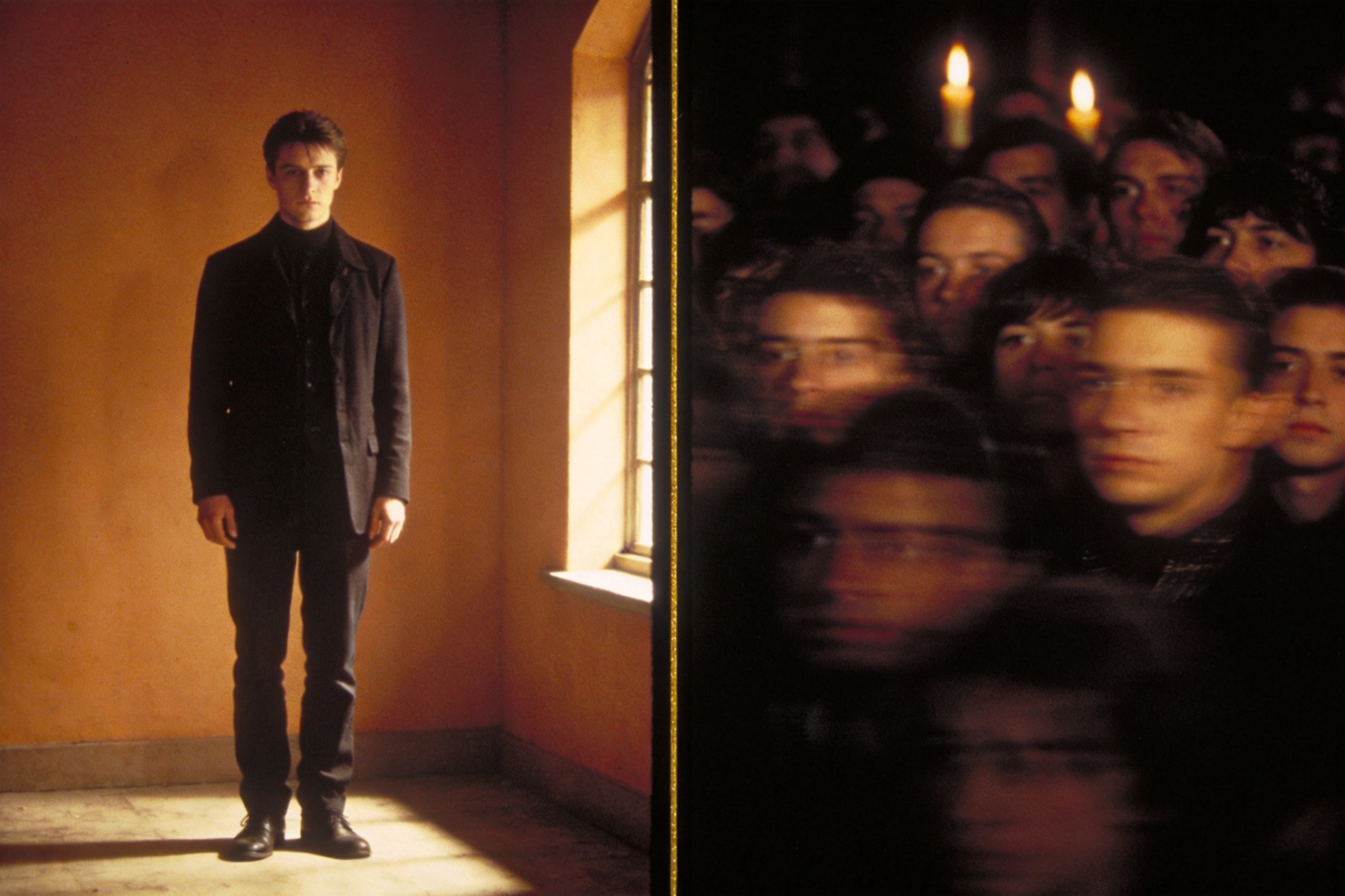
What works (left) and what doesn't (right): one clear, well-lit, full-body subject per photo.
The sound. The clip ships silent, because music baked into the file would tie your video to a license instead of the meme. The soundtrack goes on in the app you post from, so have TikTok or CapCut ready on your phone. Step 3 explains why the in-app sound matters.
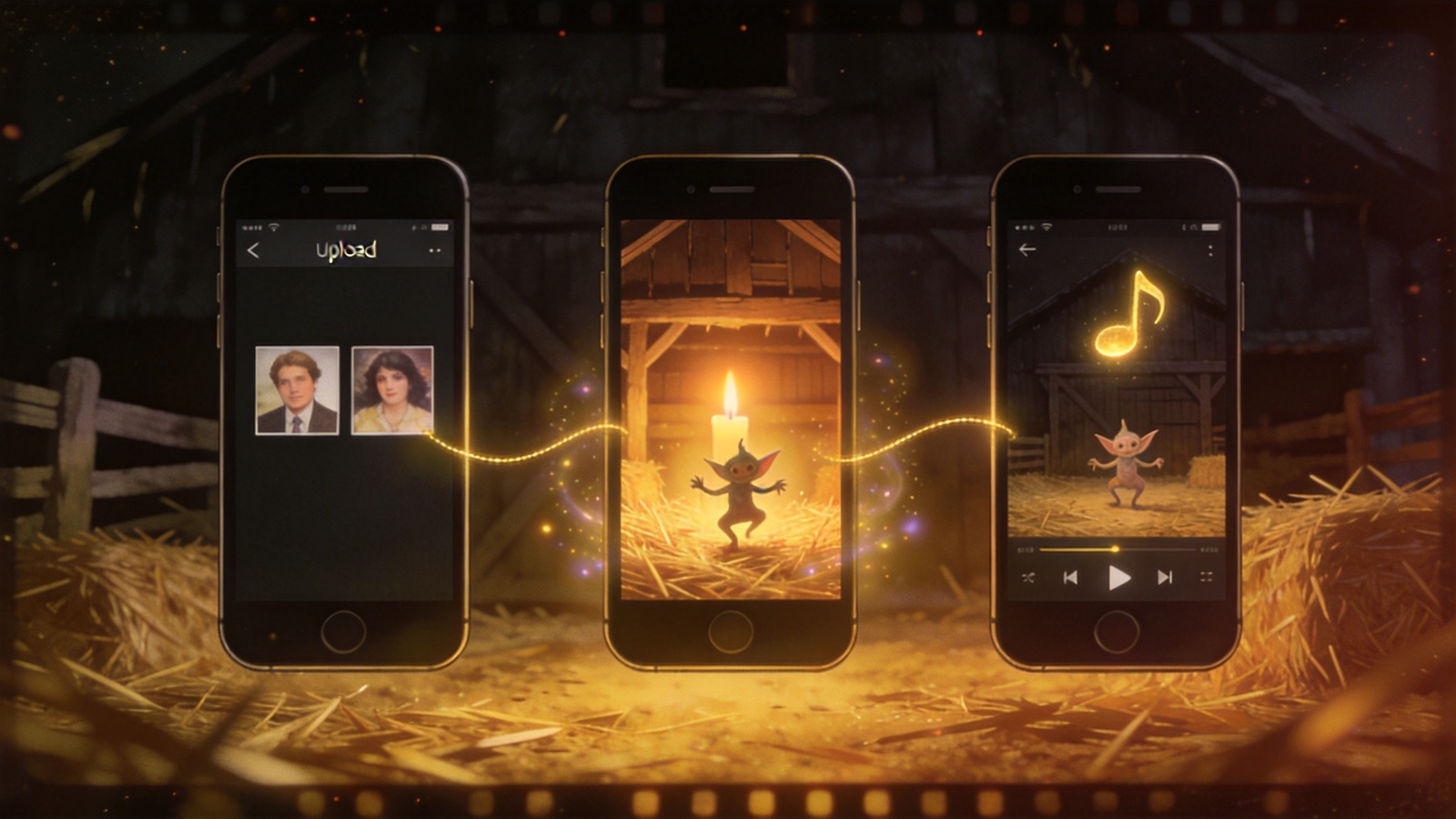
The whole flow: upload two portraits, generate the barn scene, add the sound.
Step 1: cast the imp and the princess
The scene has two roles. The Imp crosses the barn on tiptoe and dances the straw into gold. The Princess watches from beside the hay, the still center of the joke. Casting is just uploading: one photo per role, in either order.
Any pairing works. Cast yourself as both. Cast a couple, two siblings, a dog and its owner. The meme's remix wave ran on famous faces (streamers, TV characters, politicians) because the fun is recognition, and nobody is more recognizable to your followers than the people you actually know.
Step 2: choose the format, then generate
Two settings decide what kind of file you get.
Aspect ratio. Pick vertical 9:16 for TikTok, Reels, or Shorts; that is where the meme lives, and a vertical frame fills the phone. Pick widescreen 16:9 for X, group chats, or anywhere a letterboxed frame reads as cinematic. The original circulated as a widescreen clip on X and plays cropped-vertical on TikTok, so if you plan to cross-post, generate both; each format is its own render.
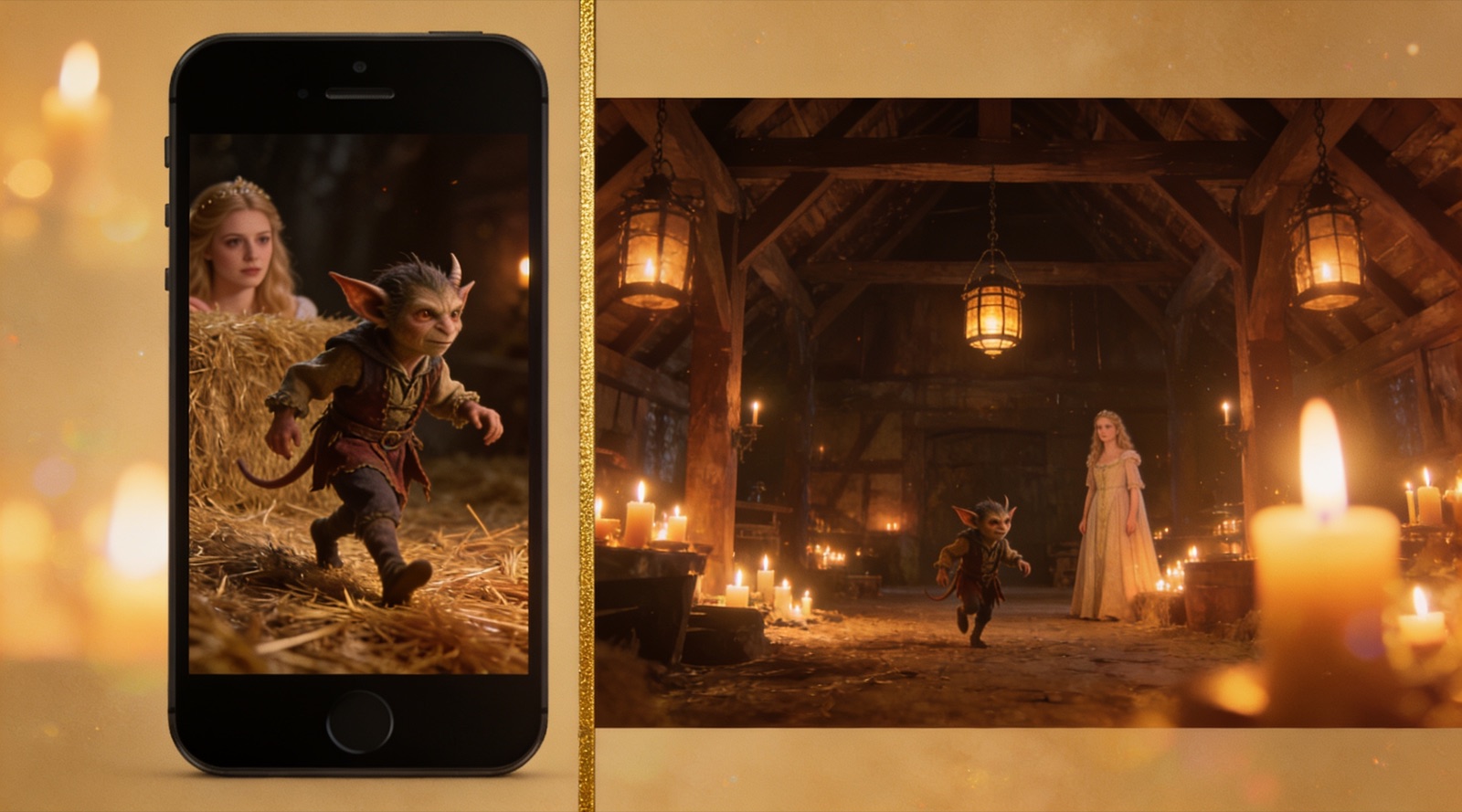
The same barn, framed twice: vertical for TikTok, widescreen for everything else.
Model and resolution. Basic or Premium, up to 1080P. Basic costs 120 credits at 768P or 180 at 2K; Premium costs 170 at 480P, 380 at 720P, or 800 at 1080P. The studio quotes the exact credit cost before you start, so nothing gets deducted blind. A $19.90 starter pack holds 400 credits, enough for three Basic 768P renders with credits to spare, which is the right budget for a first attempt. Credits never expire, and a confirmed failed generation returns them.
Which tier makes sense? For a trend post, Basic at 768P is the sensible default: the clip exists to be watched on a phone at feed size, and the grain-and-candlelight aesthetic survives compression better than fine detail does. Step up to Premium 1080P when the video is a keepsake, or when you plan to re-edit and crop it later, because extra resolution survives cropping better.
Generation takes a few minutes. What comes out is a silent MP4 of the preset scene: the candlelit barn, the drifting straw, the tiptoe choreography, all in the grainy 1980s fantasy look that fooled half the internet. If you want to see the style before spending anything, the homepage examples show four published scenes, including a Dracula-and-Van-Helsing edition that gives a sense of the preset's range.
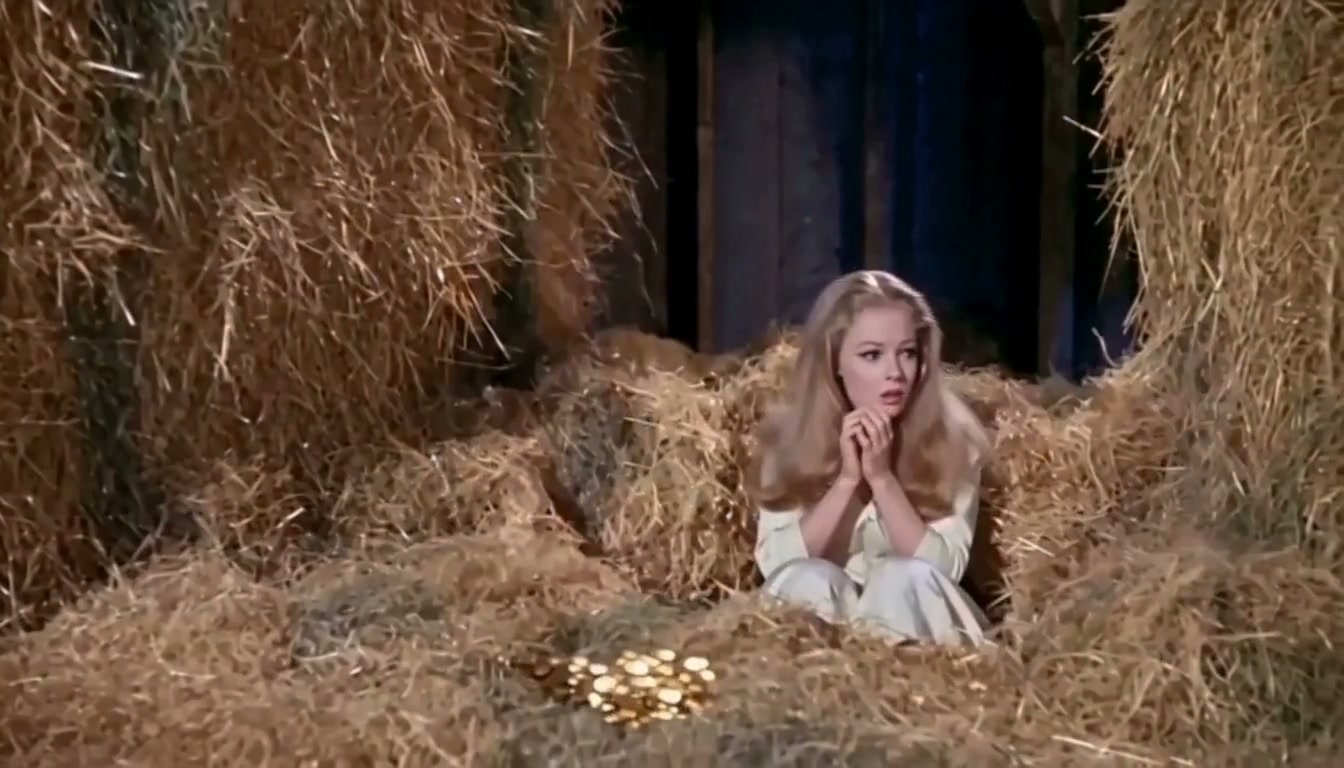
A real frame from "The Imp at Work," one of the studio's published examples.
Step 3: add the sound, then post
- Download the MP4 to your phone.
- Open TikTok (or CapCut, then export to TikTok) and import the clip.
- In the sound library, search "TIP TOE WING IN MY JAWWDINZ" or "tiptoeing in my jordans." Trim so the beat lands as the tiptoe starts.
- Post with a caption that plays along, and tag it #tiptoeinginmyjordans so it files itself with the trend.
Captions in this trend all play the same game of pretend. The fake discovery ("restored from my grandfather's tape collection") leans into the lost-film joke. The reaction swap ("me sneaking out of the office at 4:59") borrows the tiptoe for a situation everyone recognizes. The straight confession ("we made this in five minutes with two photos") skips the bit and flexes the method instead. All three travel; pick the one your audience will rerun.
Adding the track from the app's library does two jobs. It keeps you on the right side of music licensing, and it attaches your video to the sound page where every other version of the meme lives, which is how the algorithm groups you with the trend instead of treating the upload as a one-off. That is the whole reason the MP4 ships silent.
The long way: rebuilding it with pro tools
The studio path takes minutes because the scene ships as a preset: the barn, the choreography, the camera moves, and the film grade are already in it. Building a scene like this from nothing is a different animal. The people who do it spend an evening on four disciplines:
- Lock the character. Generate a character sheet (front, side, full body) in an image model and attach it to every shot, so the imp's face stops drifting between cuts.
- Lock the set. Build the barn as a still first, with the film look already baked in. If the still looks digital, the video will too.
- Animate in short beats. Four to six seconds per generation, one beat at a time (the tiptoe, the turn, the dance) in a video model such as Seedance or Kling. Long takes are where faces and feet fall apart.
- Grade it like film. Grain, a soft vignette, slight frame jitter, a period title card, added in an editor. Audio comes last.
That is the short version of the method Top5Apps published in its reconstruction of the clip. Whoever made the original never named their tools, but the result sits squarely in this discipline. It is a real way to learn AI video craft, and also hours of iteration across paid subscriptions at a moment when the meme's shelf life is measured in weeks.
| The studio | The rebuild | |
|---|---|---|
| Time | A few minutes | An evening or more |
| Skills | Two photos and a tap | Prompt writing, video-model workflow, editing |
| Cost per video | 120–800 credits | Subscriptions across image and video tools |
| You in the video | The entire point | Possible; face consistency is the hard part |
| Best for | Posting while the trend is hot | Craft, portfolio pieces, one-off art |
When the output is not quite right
- The likeness is soft. The problem is almost always the source photo: sunglasses, a hat's shadow, a group shot, a crop from the chest up. Swap in a better photo before you re-roll the same one.
- Hands or feet look odd. Still the classic failure of AI video in motion. The film grain hides a lot, but when a hand misbehaves, regenerate; a Basic 768P render is the cheapest way to take another pass.
- It seems stuck. A few minutes is normal, and timing varies with the model, the resolution, and service load. If a generation fails outright, the credits come back automatically.
Label it before you post
Half the meme's engine is the fake provenance: the vintage title card, the "Rumpelstiltskin (1987)" caption. Keep the joke and keep it honest.
Put the AI label on. TikTok asks creators to label realistic AI-generated content, and YouTube requires disclosure when a video shows a realistic scene that never happened; platforms add their own markers regardless. A period-style title card with a small "AI" on it still reads as comedy.
Never answer "is this real?" with yes. When the viral X post got exactly that question, the poster said yes, and the thread believed it. That reply is the line between a parody and a hoax, and it is why the fact-check about the real 1987 movie needed writing at all.
Invent your film. "The Miller's Daughter (1971)" is funnier than borrowing a real movie's filmography. The real 1987 Rumpelstiltskin has real people attached to it who did not agree to co-star in the bit.
FAQ
How do I make the Rumpelstiltskin tiptoe video with my own photos?
Upload two full-body photos (one for the imp, one for the princess) to the studio, pick 9:16 or 16:9 and a model, generate the 12-second scene, download the silent MP4, and add "TIP TOE WING IN MY JAWWDINZ" from your app's sound library before posting.
What photos work best?
One person per photo, whole body in frame, sharp, and evenly lit. A clear full-body shot against a plain wall is ideal. Dark, blurry, or crowded photos weaken the likeness.
How much does it cost?
Basic costs 120 credits at 768P or 180 at 2K; Premium costs 170 at 480P, 380 at 720P, or 800 at 1080P. One-time packs start at $19.90 for 400 credits, the credits never expire, and confirmed failures refund automatically. Pack sizes are on the pricing page.
How long does a generation take?
A few minutes. Timing varies with the model, the resolution, and how busy the service is.
What song does the meme use?
"TIP TOE WING IN MY JAWWDINZ" by Riff Raff, released in 2014. The story of how a decade-old joke track became the meme's soundtrack is in the explainer.
Is the original tiptoe video from a real movie?
No. It is AI-generated, posted to Instagram on August 27, 2026, and styled to imitate 1980s dark fantasy cinema. A real Rumpelstiltskin movie from 1987 exists, but the clip shares nothing with it; the fact-check puts them side by side.
Do I have to label my video as AI?
If it could pass as real footage, yes: TikTok and YouTube both require disclosure for realistic AI content. The label costs you nothing; the meme works even when everyone knows it is AI.
The barn is a template: one imp, one princess, one dance, one lantern. Pick your cast in the studio, generate the scene, add the sound, and post it while the song is still everywhere.